
Design work as workflows
Set the steps, the team that owns each one, and where review and approval happen. Describe the job and AI drafts the workflow; edit it and confirm.
Desktop app for Windows and macOS
The Windows build is a test version without code signing yet, so Windows may show a security warning during installation. It will be replaced by the signed release.
If your goal is an office where AI agents work as departments around the clock..
Set the steps, the team that owns each one, and where review and approval happen. Describe the job and AI drafts the workflow; edit it and confirm.
Start one workflow when another starts, finishes or fails, and schedule runs at set times. Design research, planning and reporting once, and they run one after another.
Evidence from the web, meeting decisions, outputs and fixed errors build up in a knowledge wiki and graph, linked to each other and to their sources. When an AI teammate starts a task, it looks up the knowledge related to that task first.
Work history, files and the knowledge graph are stored on your PC. Connect OpenAI, Claude, Gemini or Grok with an API key or account sign-in, or run models on your PC with Ollama. Classification and choices can go to the fast decision model Jev (about 0.2 seconds per decision in our tests); writing and complex planning stay with your main model.
The Office Manager splits work across departments; department leads and specialist agents carry it out and pass it through review. Who did what and why stays on the record, failures and retries are shown, not hidden, and risky actions wait for approval.
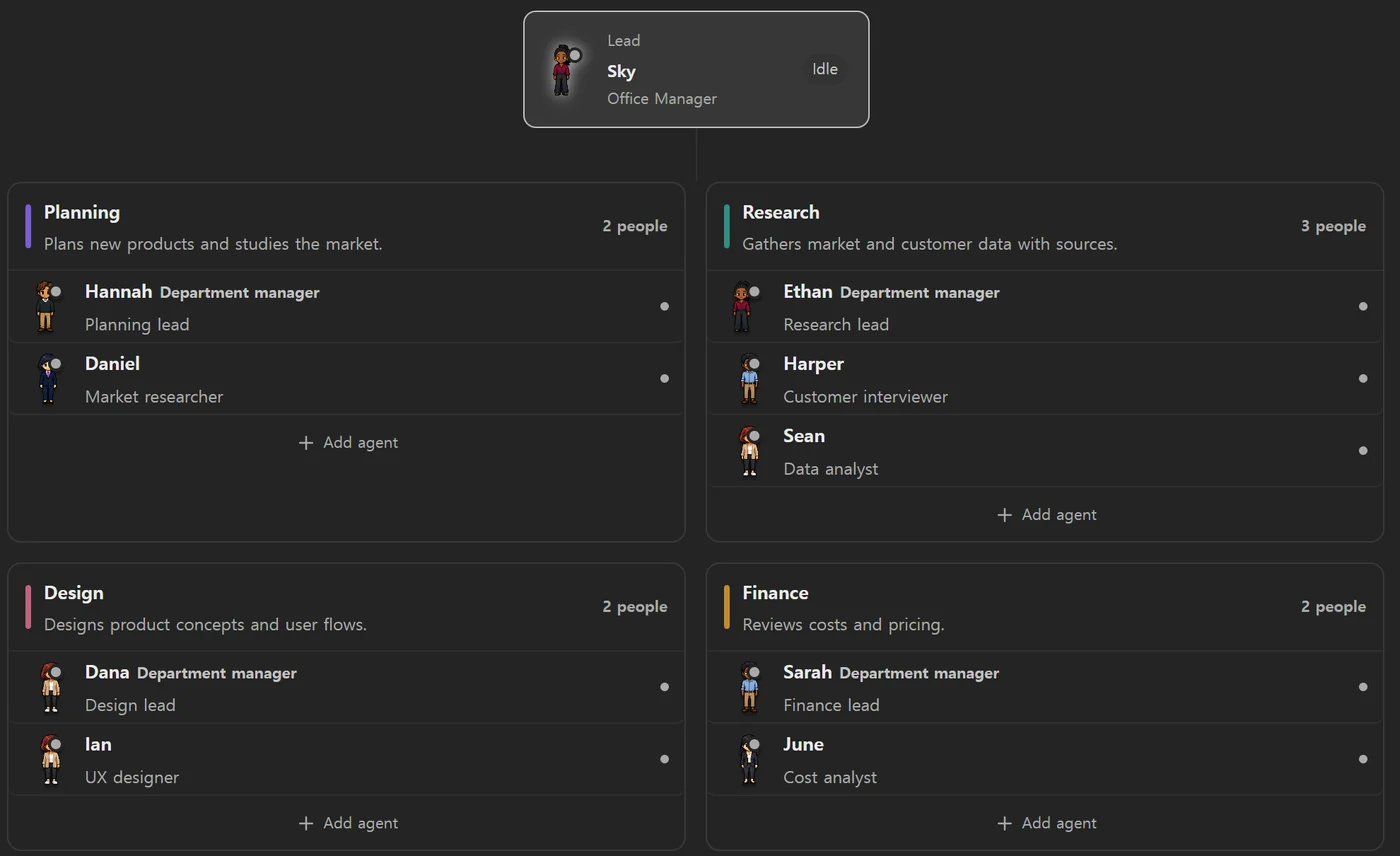
BigbangOffice is a Windows and macOS AI office that runs on your PC. Design even complex workflows with ease and link them together; an Office Manager and AI departments split the work and carry it through, reusing the knowledge wiki and graph they build up as they work. Work continues while your PC is on.
Cloud agent apps work 24/7 on their vendor's cloud computers and offer mobile apps and team sharing, but your data and memory live in that vendor's cloud and most use only their own models. BigbangOffice runs on your PC, keeps work data and knowledge there, lets you choose models, and runs workflows you design and link. In exchange it works only while your PC is on, and on Windows and macOS.
Describe what you want done and AI drafts the steps and owners; then adjust steps, branches, conditions, reviews and approvals in the editor and confirm. You can also draw one from scratch.
Yes. Use another workflow's or step's start, finish or failure as a trigger, and schedule runs at set times. Values that change per run are passed as inputs.
You can connect OpenAI, Anthropic Claude, Google Gemini, xAI Grok, local Ollama models and OpenAI-compatible servers with API keys or provider sign-in, and assign a different model to each team member. For classification and choices you can also turn on the fast decision model Jev in Settings.
Projects, work history, files and the knowledge graph are stored on your PC. When an AI model is called, the content the task needs is sent to the provider you connected; local Ollama models keep it on your PC.
Routine work runs automatically, but approval steps in your workflows and risky external actions wait for a person. Work waiting for approval is never bypassed.
No. BigbangOffice works while your PC is on. Closing the window keeps it running in the tray, and it can start with Windows if you turn that on.
The installer for macOS 12 or later on Apple Silicon (M1 or later) Macs is available now. A temporary Windows 10/11 build without code signing is also available. There is no mobile or web version.
Design your workflows and link them. AI departments keep the work going, and your work knowledge grows as they do.
The Windows build is a test version without code signing yet, so Windows may show a security warning during installation. It will be replaced by the signed release.